Who owns this IP address or domain? If you work online, sooner or later you will need to run a Whois lookup. Sometimes it is part of a security check, like reviewing logs or tracing spam. Other times it is just routine, like verifying where a partner site is hosted or figuring out who manages an IP range.
Best VPN – Stay safe and private! Get 10% Off with Code WELCOME
And sometimes it is about buying a domain. You find a name that looks perfect, then you want to check who the registrar is, when it expires, and whether there is a real owner you can contact or a privacy service in the way. A quick WHOIS lookup can save you time and guesswork.
In most cases, you are not looking for a person. You are trying to answer a practical question: who is responsible for this IP address, or domain. That is exactly what WHOIS is built for.
What is Whois service
WHOIS is a public query system built around registration data. When IP addresses and domain names are allocated, certain details are recorded. These records live in databases maintained by registries and registrars. A WHOIS query simply asks those databases for the information they have.
What WHOIS is designed to show is administrative responsibility. For an IP address, this usually means the network operator, hosting provider, or internet service provider that controls the address block. For a domain, it means the registrar and the registered holder, sometimes through a privacy service.
What WHOIS cannot show is just as important. It does not reveal the real time user of an IP. It does not guarantee an exact physical location. It does not reliably identify an individual person. Trying to use WHOIS for those purposes almost always leads to wrong conclusions.
Understanding these limits is key to using the data correctly.
What the Whoer WHOIS tool does
The WHOIS tool on Whoer is built to make this data accessible without turning it into a technical exercise. It works with both IP addresses and domain names in a single interface. You do not need to decide in advance what type of input you have. The tool detects that automatically.
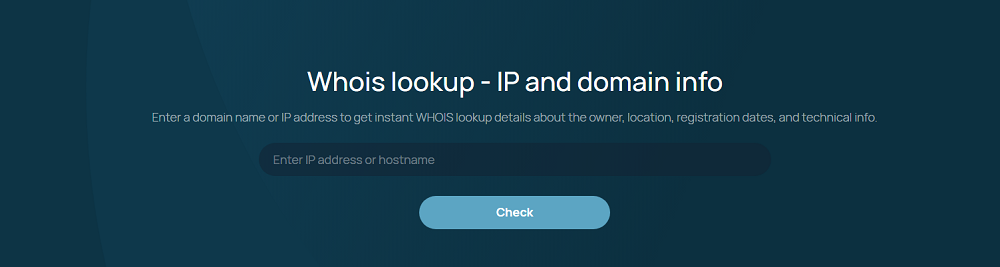
When you submit a query, the system pulls data from public WHOIS and registry sources. Nothing is scraped or guessed. The output reflects what the authoritative databases actually contain at the time of the request.
Everything runs in a web browser. There is no command line, no local tools, and no setup. This matters for people who need answers quickly, not a lesson in networking utilities.
How to run a WHOIS lookup on Whoer
Running a lookup is intentionally straightforward.
Enter an IP address or a domain name into the input field.
Submit the query and wait a moment for the response.
The result is a structured WHOIS output that highlights the most relevant fields. There is no unnecessary expansion and no artificial steps added just to look detailed. The goal is clarity.
What WHOER WHOIS shows for IP addresses and domains
IP address results
When you look up an IP address, WHOIS focuses on network level information. You will typically see the organization that owns the address block, the ISP or hosting provider involved, and the size of the allocated range. Registry listed country or region data is included, along with technical and abuse contact information. The source registry is also shown, which tells you which Regional Internet Registry manages that block.
This tells you who to contact if there is a problem and who is accountable for how that address space is used.
Domain name results
For domains, the emphasis shifts to registration details. WHOIS shows the registrar, important dates like registration and expiration, and the configured name servers. Domain status flags appear as well, which can hint at transfer locks or suspension states.
Ownership details may point to an organization, an individual, or a privacy or proxy service. Administrative and technical contacts are shown when the registry allows it. Again, this is about responsibility, not surveillance.
How to interpret WHOIS results correctly
One of the most common mistakes is assuming ownership means end user. In WHOIS terms, ownership usually means the organization that controls or leases the resource. A hosting provider may appear as the owner even though thousands of customers use that infrastructure.
Abuse contacts are often more useful than owner names. If you are dealing with spam, scanning, or malicious activity, those contacts exist for a reason. They are the right channel for reporting issues.
It is also normal to see large organizations listed for cloud platforms, VPN services, or content delivery networks. That does not mean the activity originates from that company itself.
Why people check WHOIS and what question they are really asking
People use WHOIS in many different situations. Security teams look up suspicious IPs after an incident. System administrators investigate unexpected traffic. Researchers analyze unknown domains. Even regular users sometimes check a domain after receiving spam or seeing a suspicious link.
Behind all these cases is the same core question. Who controls this network resource.
WHOIS exists to answer responsibility, not identity. That distinction matters. The data is about administrative control, allocation, and registration. It tells you which organization manages an IP block or which registrar and registrant are associated with a domain. It does not tell you who is sitting behind a keyboard right now.
This is also why WHOIS is still relevant. Even with modern privacy rules and proxy services, there must be a system that records who is accountable for an address space or a domain name. Without that, the internet would be impossible to coordinate.
Using WHOIS data in real situations
WHOIS becomes most valuable when applied to real tasks.
- Reporting abuse or malicious traffic to the correct network operator.
- Investigating suspicious domains during security reviews.
- Supporting network diagnostics and compliance workflows.
In each case, WHOIS provides context. It does not solve the problem on its own, but it tells you where responsibility sits.
Common WHOIS limitations and pitfalls
WHOIS data is not perfect. Privacy and proxy registrations can hide registrant details. Records can be outdated or incomplete. Large shared IP blocks are common in cloud and hosting environments, which makes attribution difficult.
IPv4 scarcity has also led to reassignment and reselling of address space. An IP block may have changed hands multiple times, and registry updates do not always reflect that instantly.
These limitations are not flaws of Whoer or WHOIS itself. They are a reality of how the internet is managed today.
WHOIS compared to other tools
WHOIS is often confused with other network lookups. IP geolocation focuses on estimated physical location. DNS lookups show how names resolve to addresses. Reverse DNS works in the opposite direction.
WHOIS answers a different question. It tells you who is responsible. It is the right tool when accountability matters, and the wrong tool when you want real time behavior or precise location.
Regional Internet Registries and where WHOIS data comes from
When you run a WHOIS lookup for an IP address, the ownership data usually comes from a Regional Internet Registry, or RIR. These registries manage how IP address blocks and ASNs are allocated and recorded in different parts of the world. The five RIRs coordinate global issues through the Number Resource Organization, or NRO.
| RIR | Service region | What you typically use it for | Official site |
|---|---|---|---|
| AfriNIC | Africa and parts of the Indian Ocean | Authoritative registration data for IPs allocated in Africa | https://www.afrinic.net |
| ARIN | Canada, the United States, and many Caribbean and North Atlantic islands | Authoritative ownership data and abuse contacts for IPs in ARIN space | https://www.arin.net |
| APNIC | Parts of Asia and Oceania | Allocation and registration data for APNIC-managed resources | https://www.apnic.net |
| LACNIC | Latin America and parts of the Caribbean | Registry data for IP allocations across Latin America and parts of the Caribbean | https://www.lacnic.net |
| RIPE NCC | Europe, the Middle East, and Central Asia | Registry data for IP allocations across the RIPE NCC service region | https://www.ripe.net |
You can think of an RIR as the authoritative source for who is responsible for an IP block in that region. That is why WHOIS results can look different depending on where the IP was allocated.
For global coordination and joint work, the RIRs participate in the Number Resource Organization (NRO). https://www.nro.net
Modern alternatives, and the final takeaway
Newer access methods like RDAP are slowly being adopted, but most users still encounter WHOIS formatted data because it remains widely supported and familiar.
The key takeaway is simple. WHOIS answers who is responsible, not who is using. The Whoer WHOIS tool provides fast and readable access to that responsibility data. When interpreted correctly and combined with other checks, it becomes a reliable starting point for understanding what is really behind an IP address or a domain name.